
 Login
Login
MFP / Printer Integration
Connect secure cloud fax to your office printers.
WestFax turns the multifunction printers your team already uses into secure cloud fax endpoints. Staff scan to fax from the same panel they use today — while the analog phone lines and fax boards behind them retire for good.
Tell us what you run today and our team will map the right path for your fleet.












How we connect
Two ways out, one way back.
Getting faxes out of a printer works two ways — SMTP submission from the device, or API submission through a prebuilt connector. Getting faxes back to a printer runs through the Cloud Fax Toolkit. We map how your team faxes today, then wire each device the way that fits.
SMTP submission from the MFP
Most printers already have a Fax button. Point it at WestFax over SMTP and outbound faxing keeps the same walk-up workflow — scan, enter the number, send — with secure cloud delivery in place of an analog line.
Officially supported, on any WestFax account. We publish setup guides for most makes and models; enterprise fleets get hands-on setup help, smaller teams self-serve from the guides.
Find your device →API submission from a connector
A connector built into the device’s own fax workflow — such as Xerox ConnectKey, Sharp OSA, or PaperCut — submits each fax to WestFax through our API. Staff fax from the panel exactly as they do now.
Browse the device directory →Inbound & AutoPrint through the Cloud Fax Toolkit
Getting an incoming fax back onto a printer is handled entirely by the Cloud Fax Toolkit — WestFax’s server-side routing layer. AutoPrint routes each inbound fax by number and prints it straight to the right device — holding the job if a printer is briefly offline — so staff keep the familiar “the fax is on the printer” workflow. Faxes can just as easily land in a network folder or email instead.
Explore AutoPrint & the Cloud Fax Toolkit →SMTP submission works on any WestFax account. Prebuilt connectors and Cloud Fax Toolkit routing are only available on a WestFax enterprise account.
Device directory
Find your device.
Find your brand to see how WestFax connects it. Don’t see yours? We connect most major MFP makes and models through the Cloud Fax Toolkit — ask us about yours.
Select your brand to open its integration detail. Don’t see it? We connect most major makes and models — ask us about yours.
No brands match that search. Ask us about yours →
Beyond your printers, WestFax connects the rest of your stack — identity, storage, and your EHR. Explore by system.
Powered by the Cloud Fax Toolkit
Inbound AutoPrint.
Submission gets faxes off the device. The Cloud Fax Toolkit is what turns a fleet of printers into a managed, centrally-routed fax system — and it’s the only way to route inbound faxes back to a device.
Explore the Cloud Fax Toolkit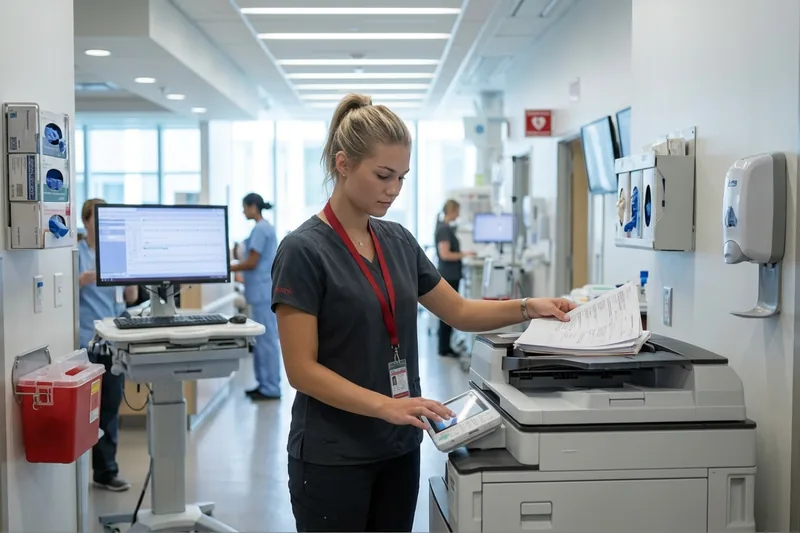
-
AutoPrint
Inbound faxes that still need paper print automatically to the right device, by fax line. If a printer is offline, the job waits and prints the moment it’s back.
See AutoPrint → -
Advanced routing
Route inbound faxes to the right device, folder, email inbox, or system — by fax number, department, or user — so each one lands where it belongs.
See routing → -
Active Directory & sender sync
Provision users, fax-line permissions, and email-to-fax senders straight from your Active Directory groups — so access keeps itself current.
See identity sync → -
Legacy security bridge
Older devices that can’t speak modern TLS still fax securely — CFT receives on your network, then submits over encrypted HTTPS to the WestFax cloud.
How the bridge works →
Case study
Fax on every printer, across 900+ clinics.
A national physical-therapy provider was running fax through hundreds of analog lines and local fax servers — with no easy way to provision MFPs securely. WestFax built a custom Xerox ConnectKey app and deployed it remotely across hundreds of devices — no on-site setup — then ported every number with zero downtime.
- HundredsMFPs deployed remotely
- 100%remote rollout, no on-site setup
- Zerodowntime porting numbers
 Download the case study
A complete enterprise platform
More than MFP faxing.
Connecting your printers is the start. WestFax brings the rest of the enterprise stack with it — so fax fits your whole organization, not just the devices in the hallway.
EHR & EMR integration
Connect secure cloud fax to Epic, Oracle Health, and more — routing inbound documents straight to the chart.
See EHR integration →Developer API
A REST API and webhooks for building fax directly into your own applications and platforms.
Explore the API →Comprehend — AI data extraction
Turn inbound faxes into structured data — OCR pulls the fields your workflow needs and routes them onward.
See Comprehend →Secure storage & ECM routing
Archive every inbound and outbound fax straight to your system of record — storage, ECM, and document systems — automatically.
Central admin & permissions
Role-based control over who can send, receive, and view — across every department and site, from one console.
Reporting & number coverage
Audit-ready reporting with full delivery and status visibility — plus local and toll-free numbers, ported or provisioned.
Your path to go-live
Four steps. No surprises.
Live when you’re ready.
You define how your fleet works today. We build around it.
Map my integrationWalk us through your fleet
You show us the devices, the brands, the volume, and how staff fax today. We document every touchpoint — and where you still need paper out the other end.
Approve the approach
We recommend a prebuilt connector, the Cloud Fax Toolkit, or a mix — per device class. You review and approve the design before any configuration begins.
Configure & validate
We stand up the connection, wire up routing and AutoPrint, and test against real fax traffic. Numbers are confirmed and inbound delivery is verified before launch.
Go live on your timeline
You decide when to cut over. We stay alongside for tuning as devices, volume, and routing evolve — and the analog lines and fax boards come out.

Security & Compliance
Compliant by Design
A fax from the hallway printer can carry the same sensitive data as anything in your EHR. WestFax holds the certifications to protect it — and we’ll sign the paperwork to back it.
 R2 Certified
 Compliant · BAA available
 Type II Audited
 Compliant
- PCI DSS
- CJIS
- GLBA
- FERPA
- TX‑RAMP
Every fax travels over encrypted HTTPS to the WestFax cloud — with strict role-based access and complete audit trails — even when an older device sends it. The legacy bridge keeps devices secure that can’t do modern TLS on their own.
Discuss security requirementsGet started
Let’s fax-enable your fleet.
Tell us which printers your team walks up to, how you fax today, and your monthly volume. Our team will scope the right connection for your fleet and show you what it looks like in your workflow.
FAQ
Frequently asked questions
WestFax works with the multifunction printers and copiers you already own — including Xerox, Canon, HP, Ricoh, Konica Minolta, Sharp, Kyocera, Lexmark, Toshiba, Brother, and Epson — plus print-management platforms like PaperCut. Search the directory above for your brand, or ask us to confirm the right method for your fleet.
No. WestFax routes faxes over the cloud, so you can retire analog phone lines, T.38 gateways, and the fax boards inside your MFPs. Documents leave the device over your existing network connection and travel across the WestFax network.
The walk-up workflow stays the same: load the document, choose the fax (or scan-to-fax) option, enter the destination, and send. Behind the panel, the document goes to WestFax instead of an analog line — so there’s nothing new for staff to learn.
Usually no. Faxing from a shared MFP over SMTP is a device-level submission, so it isn’t tied to the individual person at the panel. The one exception is the PaperCut connector: if you run MFP faxing through PaperCut with SSO configured there, each fax carries the signed-in user’s identity. Either way, every fax returns a delivery confirmation and a stored record, and routing, AutoPrint, and Active Directory–based access are managed centrally through the Cloud Fax Toolkit.
Yes. Inbound faxes can be delivered to the device, to email, or to a network folder, and routed by number to the right team. AutoPrint sends the ones that still need paper straight to the right printer — holding the job if a printer is briefly offline.
Ready to map your fleet?
Tell us the devices you run and how your team faxes today. We’ll scope the right method and get you live.
A prebuilt connector runs inside a device’s own fax workflow (for example Xerox ConnectKey, Sharp OSA, or PaperCut) and submits each fax to WestFax through our API. The Cloud Fax Toolkit is WestFax’s server-side integration and routing layer — it’s what routes inbound faxes back to a device and adds AutoPrint, advanced routing, delivery records, and Active Directory sync. Many fleets use both.
Yes — SMTP submission is officially supported on any WestFax account, and we publish per-device setup guides for most makes and models. Smaller teams wire the printer’s Fax button to WestFax over SMTP themselves from those guides; WestFax support doesn’t troubleshoot self-serve SMTP setups, but enterprise fleets get hands-on setup help. Prebuilt connectors and Cloud Fax Toolkit routing are only available on a WestFax enterprise account.
Yes. Port your current numbers to WestFax or provision new local and toll-free numbers in minutes. Everyone who faxes you sees no change.