
 Login
Login
Productivity App Integration
Fax from the apps your team already uses.
If your computer can print it, WestFax can fax it. Install our free print-to-fax driver to fax from any application — or send right inside Microsoft Teams, Chrome, and Google Workspace. No fax machine, no phone line, no new app to learn.
HIPAA-ready, with a Business Associate Agreement on every plan — and the print driver is included free with every account.
.svg)
.svg)


The print-to-fax driver
If you can print it, you can fax it.
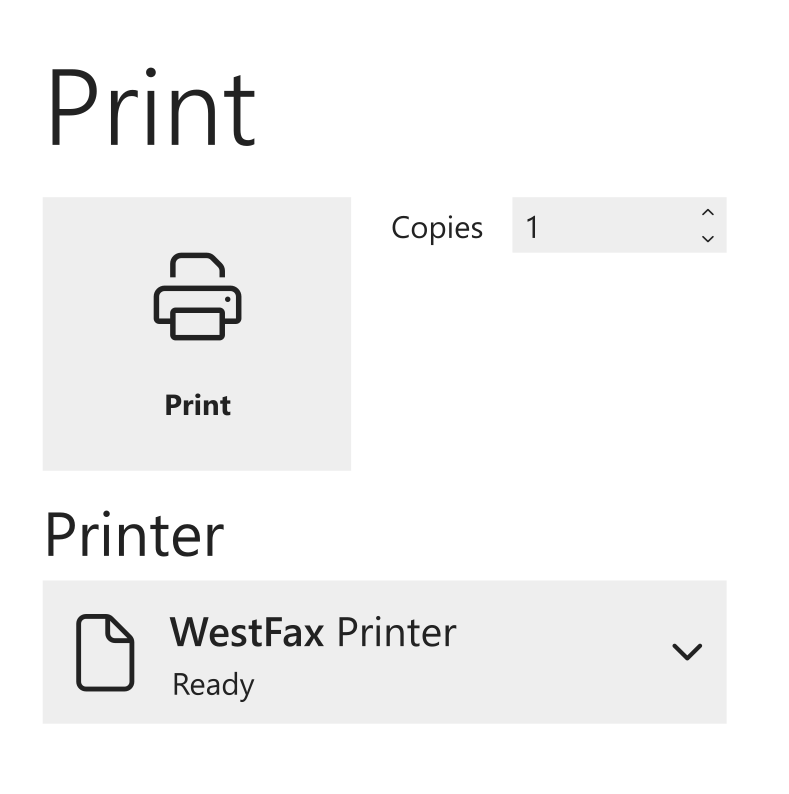
The WestFax print driver adds a printer to your computer called WestFax. Open a document in any program, hit print, choose WestFax instead of paper, and pick who it goes to — it leaves as a secure cloud fax, free with every account.
-
Works with any app
Word, Excel, PDFs, your browser, your EHR, line-of-business software — anything with a Print button.
-
The workflow you know
Print → choose WestFax → enter the number → send. A cover page and confirmation come standard.
-
Free with every account
Included at no extra charge on every plan — Solo, Team, and Enterprise. You only use your plan’s pages.
-
Secure & SSO-ready
Encrypted over HTTPS. Enterprises can add an SSO-aware driver via the Cloud Fax Toolkit.
SSO-aware driver →
WestFax apps
Or fax right inside the tools you already use.
Three free WestFax apps bring secure fax into the software your team works in every day. Each one sends through your WestFax account — install it, sign in, and start faxing.
- Version 1.0.2
- Price Free
- Works on Windows · Mac · mobile
- Security SOC 2 · HIPAA
Microsoft Teams
WestFax SendFax
Send a fax without leaving a Teams chat — then watch its status update in real time as it sends and delivers. It’s the fastest way for a team that already lives in Teams to fax.
- Send and track faxes from the Teams chat prompt
- Faxes Word, Excel, PDF, and common image files
- SOC 2 Type 2 audited and HIPAA-compliant
Requires an active WestFax account. New to WestFax? Create one in minutes →
- Version 0.9
- Price Free
- Works in Google Chrome
- Files PDF · DOCX · TIFF
Chrome extension
WestFax — Email to Fax
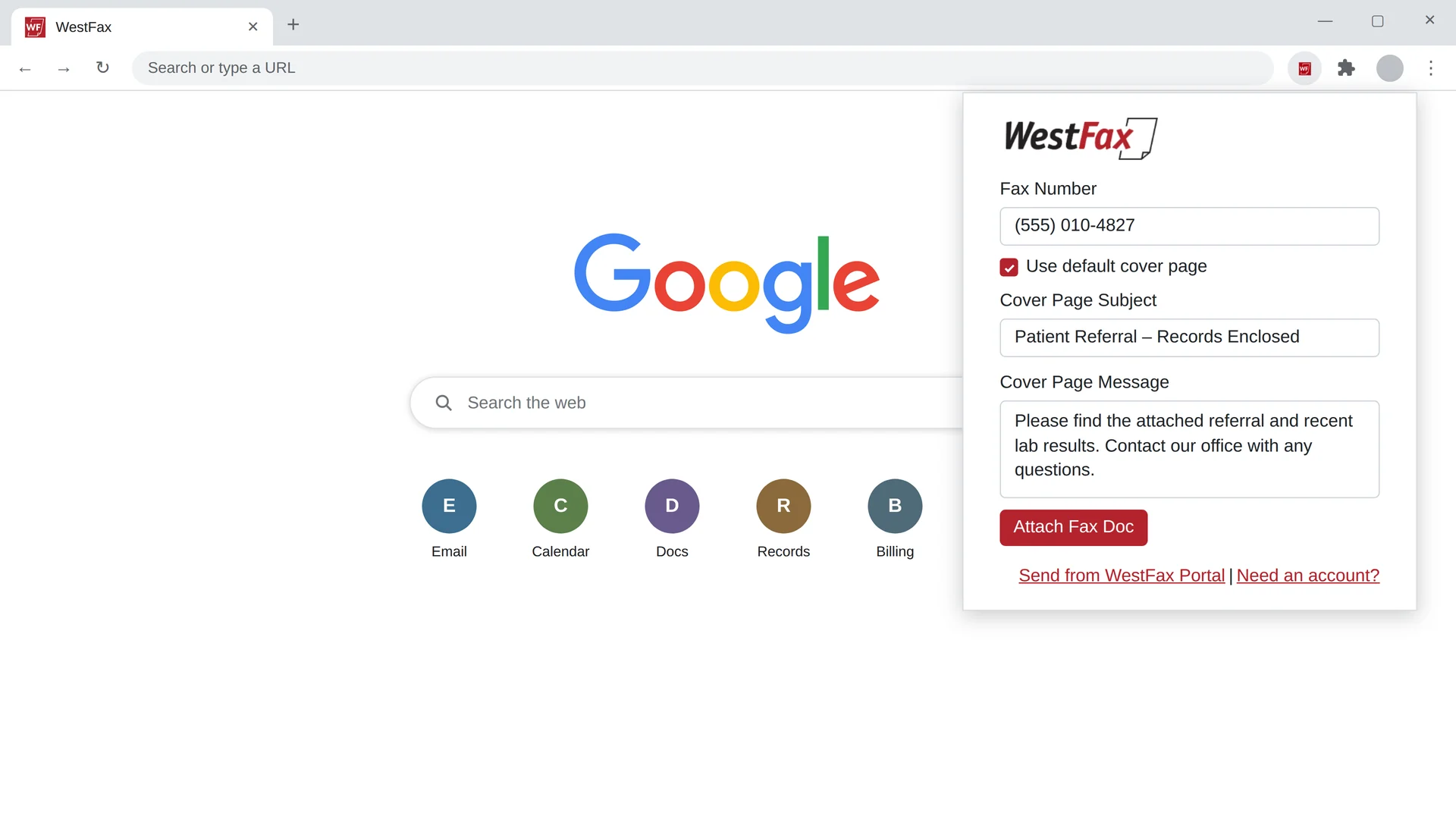
Turn an email into a fax, right from Chrome. Fill in the fax number, subject, and message, and the extension builds a ready-to-send Gmail draft — attach your files and send.
- Send a fax from Gmail in a few clicks
- Attach PDF, DOCX, or TIFF files
- Works with the Gmail you already use
Requires a WestFax account, and the sending email must be on your fax number’s Allowed Senders List.
- Price Free
- Works with Drive · Docs · Sheets · Gmail
- Security HIPAA · TLS 1.2+
Google Workspace
WestFax for Google Workspace
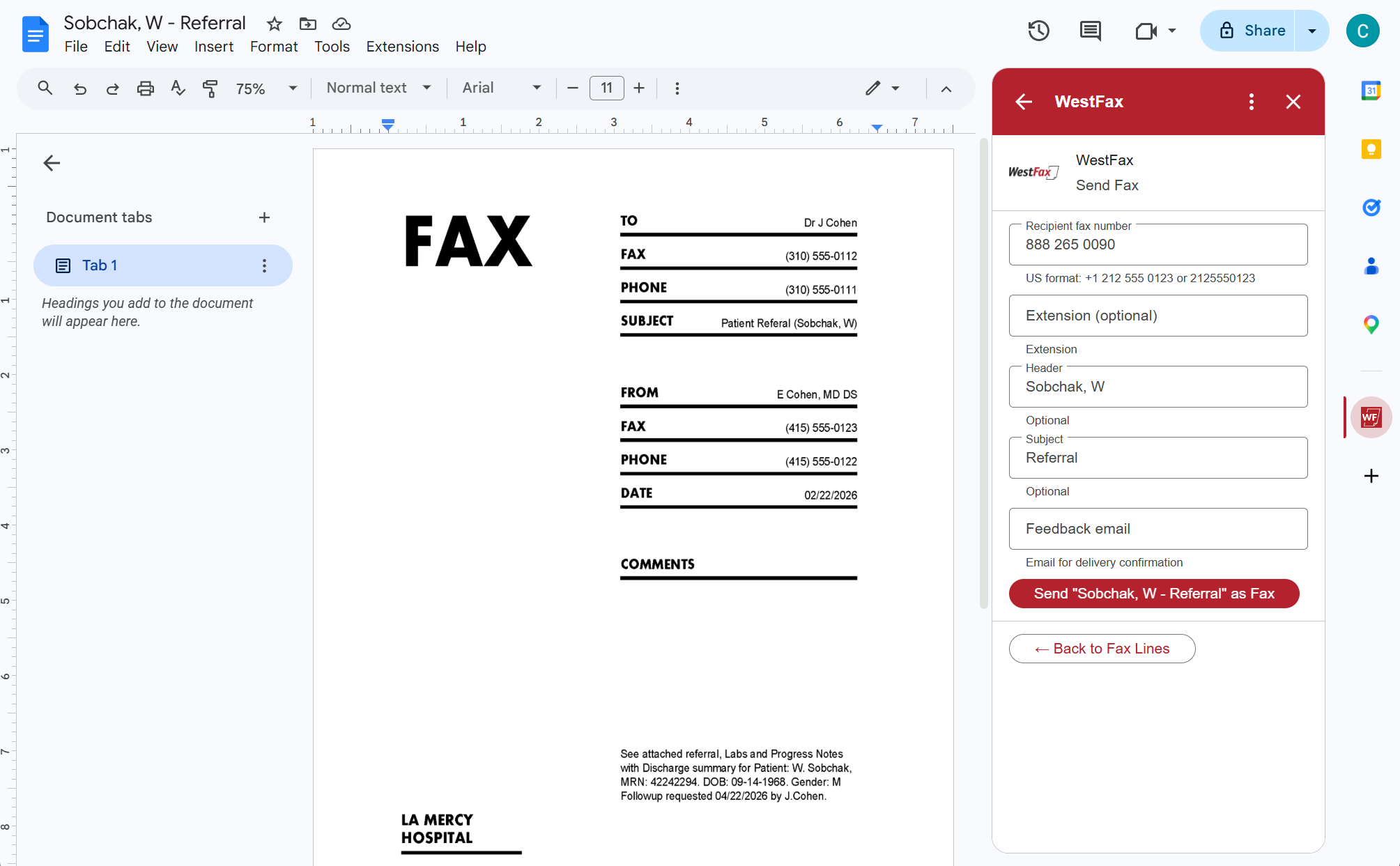
Fax the documents you’re already working on — right from Google Drive, Docs, Sheets, and Gmail. No downloading, no scanning, no leaving your Google workflow.
- Send right from Drive, Docs, Sheets & Gmail
- HIPAA-compliant with a BAA, TLS 1.2+ encrypted
- Your faxes stay in sync across web and mobile
Requires an active WestFax account.
Email to fax & fax to email
Fax straight from your inbox.
No app required. Send a fax by emailing it, and receive your faxes as email attachments — using Microsoft 365, Google Workspace, or any SMTP email client your team already has. See the full email to fax setup.
Email to fax
Address an email to the recipient’s fax number, attach your document, and send. WestFax converts it and faxes it for you — straight from your inbox.
Fax to email
Incoming faxes arrive in your inbox as a PDF — readable on any device, easy to forward, and simple to file. No machine to stand at, no paper to lose.
Secure & standards-based
Works with Microsoft 365, Google Workspace, and standard SMTP. HIPAA-ready with a BAA, and access is controlled by an Allowed Senders List on each number.
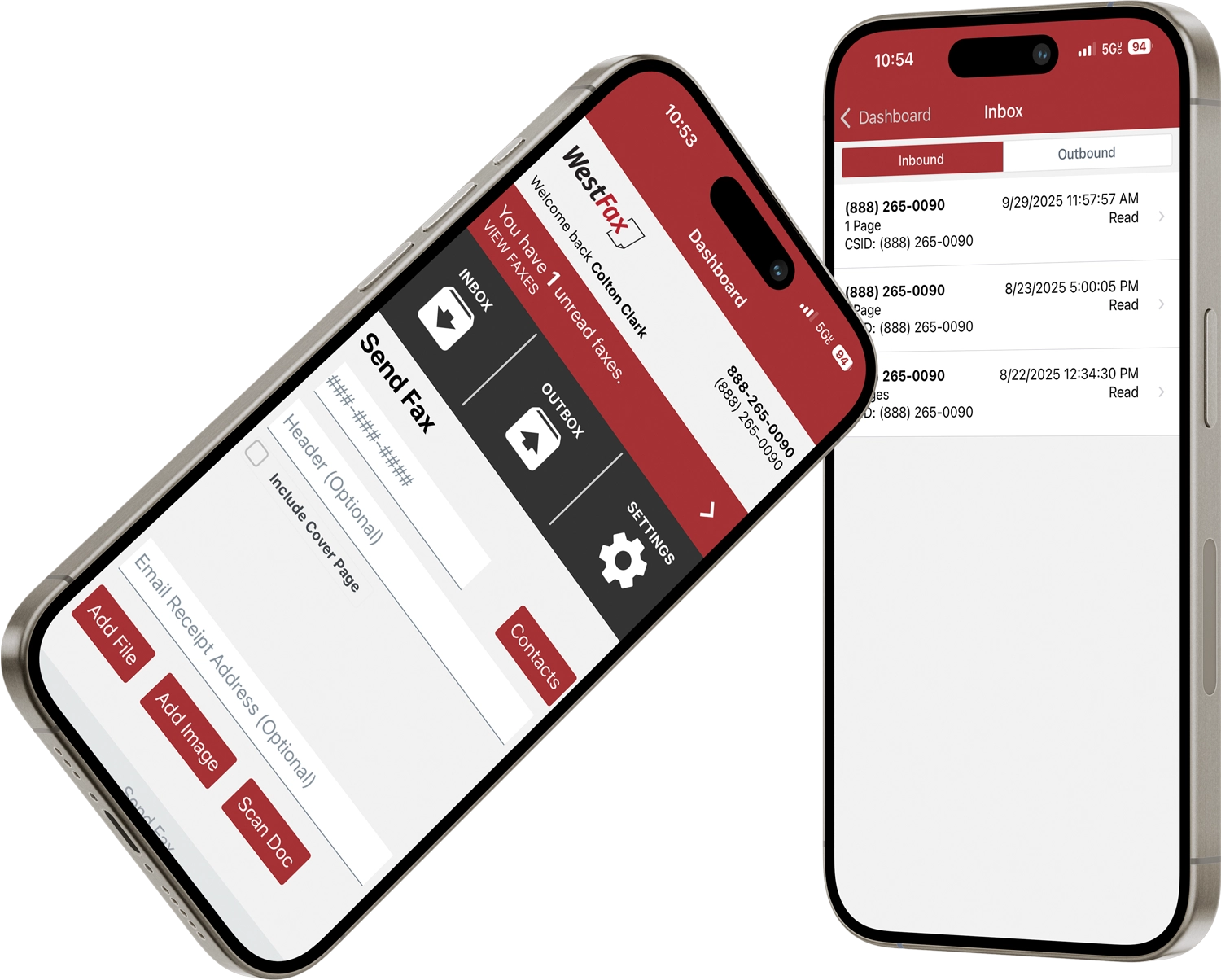
Mobile app
Away from your desk? Fax from your pocket.
The WestFax app puts your fax line on your phone. Send a fax, snap a paper document with your camera, and check your inbox — all from iPhone or Android.
- Send & receive on the go
- Scan paper documents with your camera
- Get notified the moment a fax arrives



Security & Compliance
Compliant by Design
The faxes you send from your computer can carry the same sensitive data as anything in your records. WestFax holds the certifications to protect it — and we’ll sign the paperwork to back it.
 Compliant · BAA on every plan
 Type II Audited
 R2 Certified
 Compliant
Every fax travels over encrypted HTTPS to the WestFax cloud — with strict role-based access and complete audit trails — whether you send it from the print driver, an app, or your inbox.
Discuss security requirementsFAQ
Frequently asked questions
No. WestFax is cloud fax — you send and receive over your internet connection. Use the free print-to-fax driver to fax from any application, or send from Microsoft Teams, the Chrome extension, Google Workspace, or email. There’s no fax machine, no analog phone line, and nothing to maintain.
Yes. The standard print-to-fax driver is included at no additional charge with every WestFax account, on every plan — you only use the fax pages in your plan. An SSO-aware version is available for enterprises through the Cloud Fax Toolkit. See the print-to-fax page for the download and setup.
Any application that can print can fax through the WestFax print driver — Word, Excel, PDFs, your browser, your EHR, and line-of-business software. WestFax also has dedicated apps for Microsoft Teams, Google Chrome (email to fax from Gmail), and Google Workspace (Drive, Docs, Sheets, and Gmail).
Yes. The Microsoft Teams app, the Google Workspace add-on, email-to-fax, and the web portal all work on a Mac. The print-to-fax driver is a Windows application — on a Mac, faxing from Teams, Workspace, Chrome, or email covers the same ground.
Ready to fax from your computer?
Start free in minutes, then install the print driver and the apps your team uses. No fax machine required.
It depends on how you send. The print driver faxes anything you can print. The Microsoft Teams app supports Word, Excel, PDF, JPG, PNG, GIF, BMP, TIFF, and HTML. The Chrome extension supports PDF, DOCX, and TIFF.
Yes. WestFax is HIPAA-compliant and will sign a Business Associate Agreement (BAA) on every plan. The Microsoft Teams app is SOC 2 Type 2 audited, and every fax travels encrypted over TLS to the WestFax cloud.
The Microsoft Teams app, Chrome extension, and Google Workspace add-on are all free to install. They send through your WestFax account, so you do need an active account to use them. New customers can sign up online in minutes.